Article summaryKey takeaways+
- Cloud and on-premises systems can provide similar document-management capabilities; the main difference is where the system operates and how responsibilities are divided.
- Neither model is automatically more secure, less expensive, or easier to manage.
- Compare total cost across infrastructure, subscriptions or licenses, support, administration, backup, recovery, and future growth.
- Evaluate data location, remote access, integrations, internal IT capacity, security controls, and operational continuity.
- Define responsibilities contractually, including updates, monitoring, backups, incident response, export, and termination.
- Migration, configuration, OCR, workflow, integrations, training, and customization may require separately scoped professional services in either model.
Choosing between cloud and on-premises document management is not simply an IT decision. The deployment model affects cost, security responsibilities, access, administration, integrations, business continuity, and the organization’s ability to adapt as requirements change.
Neither model is automatically more secure, less expensive, or easier to manage. The right choice depends on technical resources, operational priorities, document volume, contractual obligations, geographic requirements, and long-term plans.
This guide explains the practical differences and provides a framework for comparing both options on equivalent terms.
For related fundamentals, review document management software and the practical guide to DMS integrations.
What cloud and on-premises mean
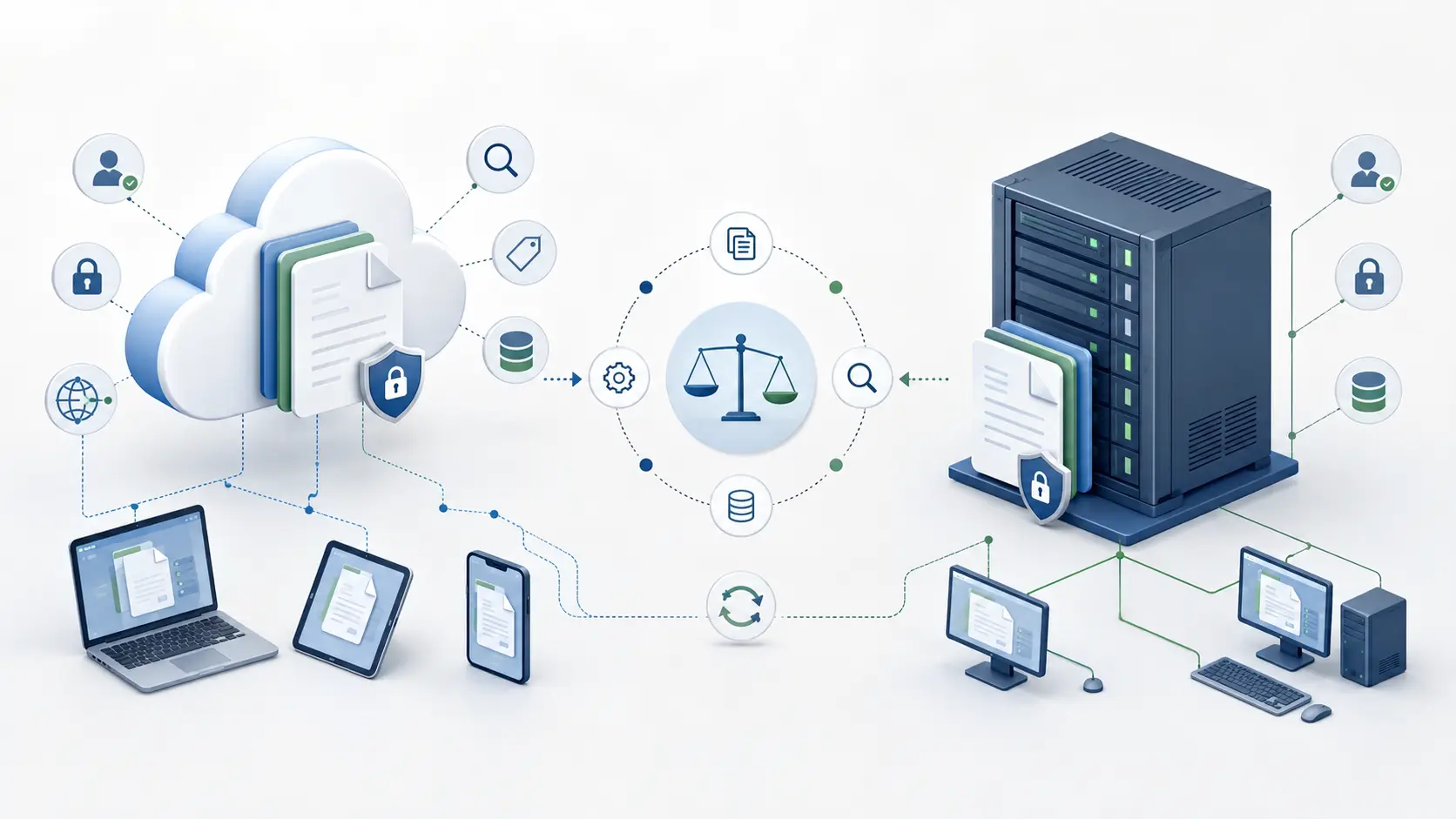
A cloud document management system runs in infrastructure managed by a software provider, hosting company, or cloud platform. Users normally connect through a web browser or approved application. The provider may manage availability, updates, backups, monitoring, and other services, depending on the agreement.
An on-premises document management system runs in infrastructure controlled by the customer. That may be a server at its office, its own data center, or a private environment operated on its behalf. The customer generally controls the operating system, database, storage, network, backup strategy, and maintenance schedule.
Cloud subscription, private cloud, managed hosting, and self-hosting are not interchangeable terms. Confirm who controls each layer, where primary data and backups reside, and which responsibilities are included.
Cloud and on-premises DMS comparison
This table is a starting point. Actual responsibilities depend on the product, architecture, service agreement, and professional services purchased.
| Consideration | Cloud document management | On-premises document management |
|---|---|---|
| Infrastructure | Provider-managed or externally hosted environment | Infrastructure controlled by the customer |
| Initial investment | Often lower when new servers are unnecessary | May require servers, storage, databases, and implementation resources |
| Ongoing cost | Usually subscriptions, users, storage, processing, or service levels | Infrastructure, administration, maintenance, backups, and support |
| System control | Technical choices depend partly on the service agreement | Greater control over architecture and maintenance schedules |
| Remote access | Commonly designed for browser access from different locations | May require VPN, gateway, and network configuration |
| Updates | Often managed or coordinated by the provider | Planned by the customer or its technical provider |
| Integrations | APIs and secure connections, subject to service and network rules | Direct internal access may be possible; analysis is still required |
| Data location | Depends on provider, region, backups, and contract | Defined by the customer’s infrastructure strategy |
| Security responsibility | Shared between provider and customer | Primarily the customer and its authorized providers |
| Customization | May be governed by the hosted service model | May offer more technical flexibility, within product and project scope |
Cost: compare total ownership
A meaningful comparison looks beyond a monthly subscription or perpetual software license. Cloud deployment may reduce the need for dedicated servers and routine infrastructure administration, but recurring charges can change as users, storage, processing, backups, and service levels grow.
On-premises deployment may require a larger initial investment in infrastructure, storage, database resources, monitoring, backup capacity, and technical labor. Hardware replacement and disaster recovery also belong in the calculation.
Migration, OCR configuration, workflow design, integrations, training, advanced configuration, custom reports, internal project management, and eventual data export may apply to either model. A three- to five-year analysis normally provides a more reliable commercial comparison.
Security: examine controls and accountability
Server location alone does not determine security. Protection depends on architecture, configuration, monitoring, access management, backups, staff capability, and clearly assigned responsibilities.
A cloud provider may offer professionally managed infrastructure, redundancy, encryption capabilities, and formal procedures. The customer still controls business access decisions, administrator accounts, user removal, retention rules, and appropriate use.
On-premises deployment offers direct control over networks, servers, and storage. That control creates value only when the organization has the resources and discipline to patch, monitor, back up, test recovery, and respond to incidents.
- Authentication and multifactor authentication
- Role-based permissions and privileged access
- Encryption in transit and at rest
- Audit history and security monitoring
- Protected backups and tested recovery
- Incident response, offboarding, retention, and secure deletion
Data location, privacy, and geographic requirements
Organizations operating in the United States, Canada, the United Kingdom, Australia, or across several countries should identify privacy, contractual, industry, and data-location requirements before selecting a deployment model. These obligations vary by jurisdiction, sector, state or province, information type, and customer contract.
For cloud deployment, confirm the region where documents and backups are stored, possible cross-border transfers, subprocessors, incident procedures, export methods, deletion terms, and what happens when the service ends.
On-premises deployment can make physical storage location easier to control, but it does not automatically satisfy privacy or compliance obligations. Access, retention, auditing, backups, disaster recovery, and information sharing still require governance. Legal obligations should be confirmed by qualified legal, privacy, or security advisers.
Remote access, performance, and availability
Cloud services are often convenient for distributed teams because authorized users can connect without entering an office network. This can support organizations serving customers across U.S. states or operating teams in Canada, the United Kingdom, Australia, Latin America, and other regions.
An on-premises DMS can also support remote users, but VPNs, secure gateways, certificates, firewall rules, bandwidth, monitoring, and support may need to be designed and maintained.
Cloud performance depends on internet connectivity, provider capacity, geographic distance, and document size. Local on-premises performance may be strong, while remote results depend on network architecture. In either model, evaluate uptime, planned maintenance, backup schedules, recovery objectives, and access during an interruption.
Integrations and customization
On-premises systems may connect more directly to internal databases, file shares, scanners, ERP platforms, or legacy applications that are not exposed to the internet. Cloud systems can integrate through APIs, web services, secure transfer methods, agents, and approved connectors.
Do not assume integration is included because two products expose APIs. Authentication, data mapping, network access, processing volume, error handling, testing, documentation, monitoring, and future maintenance must be analyzed.
Integration analysis, workflow design, migration, customization, OCR configuration, advanced reporting, development, testing, training, and project management should be clearly scoped as professional services.
Scalability and future growth
Cloud infrastructure can make it easier to add users or storage without buying local hardware, but pricing may change as usage grows. On-premises capacity remains under customer control, although procurement and technical preparation can take time.
Model expected users, annual document volume, file sizes, OCR load, workflow activity, backup growth, retention periods, integration traffic, reporting, and expansion into other departments or countries. Commercial scalability matters as much as technical scalability.
When each model may fit
Cloud may be appropriate for organizations that want fewer infrastructure responsibilities, support distributed teams, prefer a recurring service model, or do not maintain a dedicated infrastructure team.
On-premises may fit organizations that require direct infrastructure control, have established IT resources, operate restricted networks, need close connections to internal systems, or must control maintenance schedules and storage locations.
A hybrid design can solve a specific requirement, but it adds dependencies involving authentication, synchronization, security, monitoring, recovery, and ownership. It should solve a defined problem—not merely postpone a decision.
Questions to answer before requesting a proposal
Clear answers allow suppliers and internal teams to compare deployment options, responsibilities, and pricing on equivalent terms.
- How many regular users, administrators, reviewers, occasional users, and external participants need access?
- What document types, volumes, retention periods, and growth are expected?
- Where are documents and users located, and do data-location requirements apply?
- Which applications, scanners, identity services, or shared folders must connect?
- What OCR, workflow, availability, backup, and recovery requirements apply?
- Who will administer permissions, infrastructure, updates, support, and security?
- What migration, configuration, integration, customization, training, and project services are required?
- How will documents, metadata, and versions be exported if the platform changes?
Make the decision on evidence
Cloud and on-premises deployments can both provide centralized storage, controlled access, search, metadata, version history, workflow, OCR, and integration capabilities. The deployment model determines where the system operates and how responsibilities are divided; it does not replace sound information governance.
Begin with users, documents, security, integrations, geographic requirements, growth, and internal capabilities. Then compare licensing or subscription, support, hosting, and professional services separately. This protects the budget, avoids hidden responsibilities, and produces a decision the organization can operate successfully.
Frequently asked questions
Is cloud document management more secure than on-premises?
Not automatically. Security depends on architecture, configuration, monitoring, access management, backups, staff capabilities, and assigned responsibilities.
Is an on-premises DMS less expensive?
It depends on the evaluation period and existing resources. Infrastructure, administration, monitoring, backup, recovery, upgrades, and internal labor must be included.
Can an on-premises DMS support remote users?
Yes. Secure remote access can be provided through appropriate network architecture, authentication, certificates, bandwidth, monitoring, and support.
Can a cloud DMS integrate with internal applications?
Potentially. APIs, authentication, network access, security policy, data formats, volume, and error handling determine feasibility, scope, and cost.
Can an organization change deployment models later?
Often, but not automatically. Documents, metadata, versions, permissions, workflows, integrations, storage volume, and service interruption must be evaluated.
Compare your real requirements
Choose a deployment model your organization can operate successfully.
Discuss users, documents, locations, security, integrations, OCR, workflows, migration, and expected growth with OpenKM Hub.