
Document workflow automation turns a repeatable document process into a controlled sequence of tasks, decisions, and records. Instead of emailing attachments and asking who should act next, the workflow routes the document according to approved rules, assigns responsibility, records decisions, and makes delays or exceptions visible.
The technology is only part of the work. A workflow succeeds when the underlying process has a clear purpose, reliable inputs, accountable roles, understandable decisions, and a practical exception path. Automating an unclear process usually makes its problems happen faster and more consistently.
This guide explains how to design a document review and approval workflow before configuring it in a document management system. It complements the OpenKM Hub overview of workflow automation capabilities by focusing on process design, testing, governance, and operational ownership.
Article summaryKey takeaways+
- Begin with one defined business outcome, not a collection of software features.
- Map the current process, including rejections, missing information, delegated authority, and other exceptions.
- Assign tasks to maintained business roles whenever practical instead of hard-coding individual employees.
- Keep decision points understandable and capture the information needed to explain each outcome.
- Test permissions, routing, notifications, integrations, and failure paths with realistic documents and user accounts.
- Measure business results after launch and govern workflow changes through an approved process.
What is document workflow automation?
Document workflow automation coordinates the movement of documents and related tasks through a defined process. A workflow may begin when a file is uploaded, an email attachment is captured, a form is submitted, a record reaches a date, metadata changes, or another approved system sends an event.
From there, the workflow can assign tasks, request information, route a document for review, apply conditional paths, send reminders, escalate overdue work, record approval or rejection, update status, and pass approved information to another system when an integration has been validated.
A workflow is different from simple storage. A repository helps people control and find documents; a workflow also establishes who must act, what decision is required, what happens next, and how the organization can demonstrate that the process was followed.
Choose the right process to automate first
The best first workflow is important enough to produce a visible result but controlled enough to learn from safely. Look for a process with repeatable documents, a known owner, recognizable decision rules, measurable delays, and a manageable number of exceptions.
| Good first candidate | Warning sign |
|---|---|
| A repeated review or approval with a clear start and finish | Every case follows a different undocumented path |
| A known process owner can approve the design | No department accepts responsibility for the outcome |
| Inputs and required information are reasonably consistent | Most submissions arrive incomplete and nobody defines what is required |
| Turnaround time, backlog, or error rate can be measured | The objective is only to “use workflow” without a business result |
Common candidates include invoice approvals, contract reviews, policy publication, employee-file requests, controlled-document changes, purchase requests, and customer onboarding records. Begin with one document family and one accountable process owner.
Step 1: Map the current document process
Observe what actually happens rather than documenting only the official procedure. Identify where the document originates, who receives it, which information is checked, which decisions are made, and where the approved result goes. Record manual handoffs, spreadsheets, shared mailboxes, local copies, and informal approvals.
The map should include the normal path and the difficult paths: missing information, duplicate submissions, an unavailable approver, conflicting comments, a rejected request, an expired review period, a changed amount, or a document that must return to an earlier stage.
Define the problem in measurable terms. Examples include reducing unassigned submissions, shortening approval time, identifying overdue work, preventing publication without authorization, or maintaining a consistent record of decisions.
Step 2: Define the trigger and required inputs
The trigger should be specific enough that the system and users can recognize it consistently. “When a document is ready” is ambiguous. “When an invoice is stored with supplier, invoice number, amount, cost center, and owner” is testable.
List the required document, metadata, attachments, submitter details, and validation rules. Decide what happens when information is missing: prevent submission, return it for completion, place it in an exception queue, or allow a designated role to resolve it.
If documents enter through scanning or email, coordinate the design with the OCR document capture process. Classification and extraction may assist routing, but representative samples and human verification are important where accuracy affects a business decision.
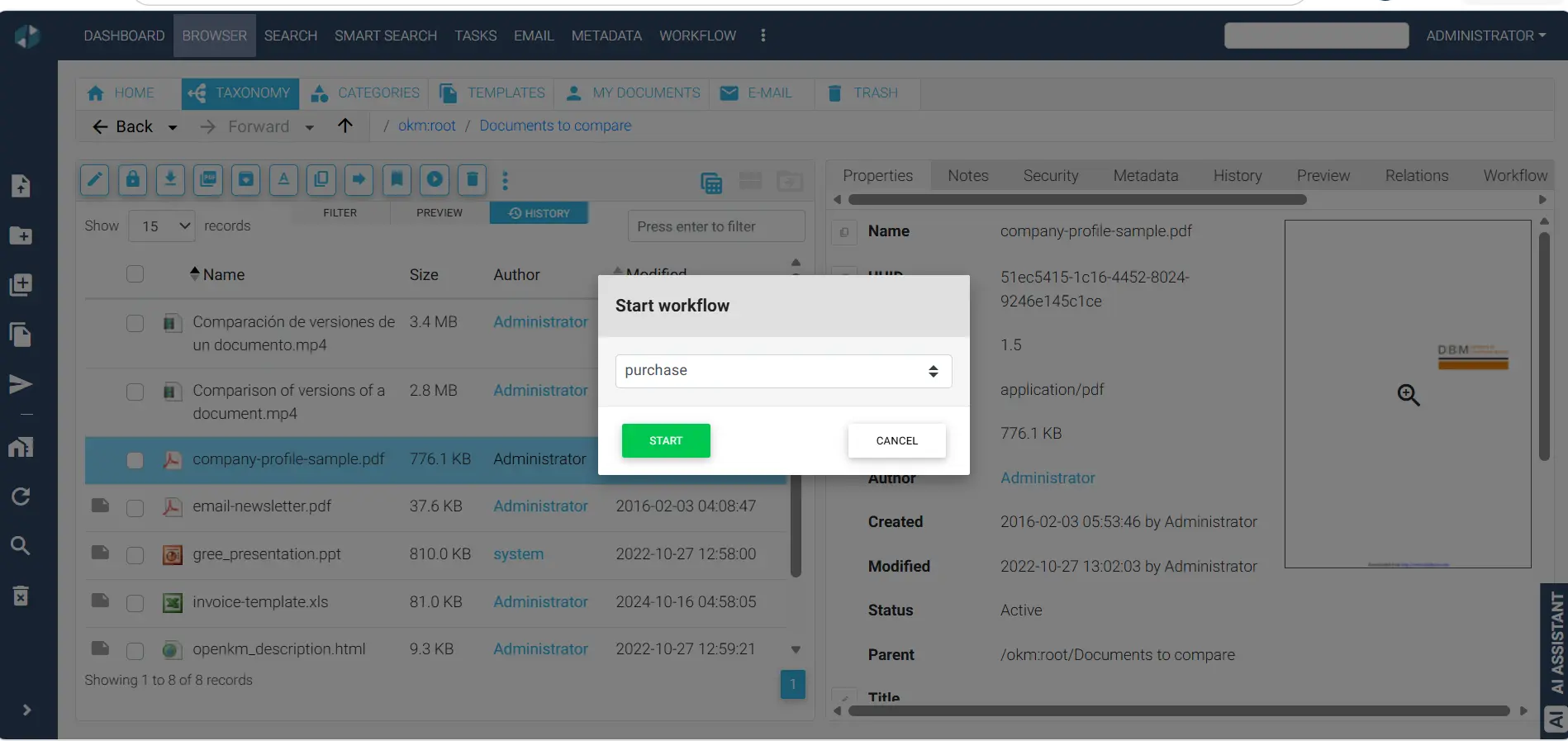
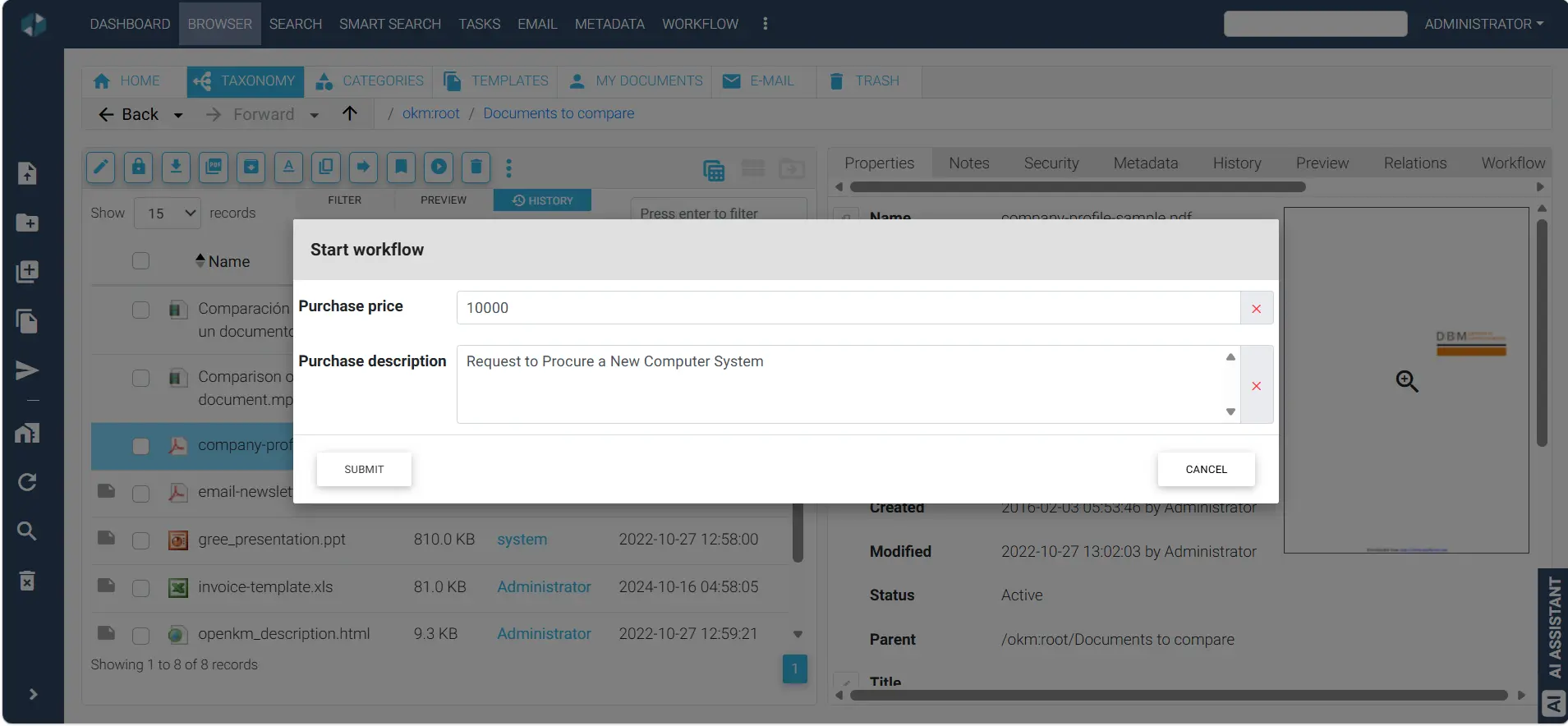
Step 3: Assign responsibilities by role
Define the submitter, reviewer, approver, process owner, administrator, exception handler, and any person who needs visibility without authority to act. Use maintained groups or business roles when possible so that personnel changes do not require redesigning the workflow.
Separate review from approval. A reviewer may confirm completeness or provide comments; an approver authorizes the business outcome. If authority depends on department, amount, location, document type, or risk, document the rule and who owns it.
Apply least privilege. A workflow task should not grant broader repository access than the participant needs. Test both allowed and prohibited actions with realistic accounts as part of the broader DMS implementation plan.
Step 4: Design routing and decision rules
Draw the smallest process that satisfies the business controls. Each step should have a purpose, responsible role, required action, completion rule, and next destination.
- Sequential review: one task must finish before the next begins.
- Parallel review: several participants work at the same time.
- Conditional routing: the path changes according to validated information such as amount, department, or document type.
- Consensus or quorum: the result depends on an agreed combination of responses.
- Return for correction: the document goes back to a responsible person with comments and a controlled status.
Avoid adding approval steps merely because someone wants visibility. Reporting, notifications, or read-only access may provide awareness without introducing another decision and delay.
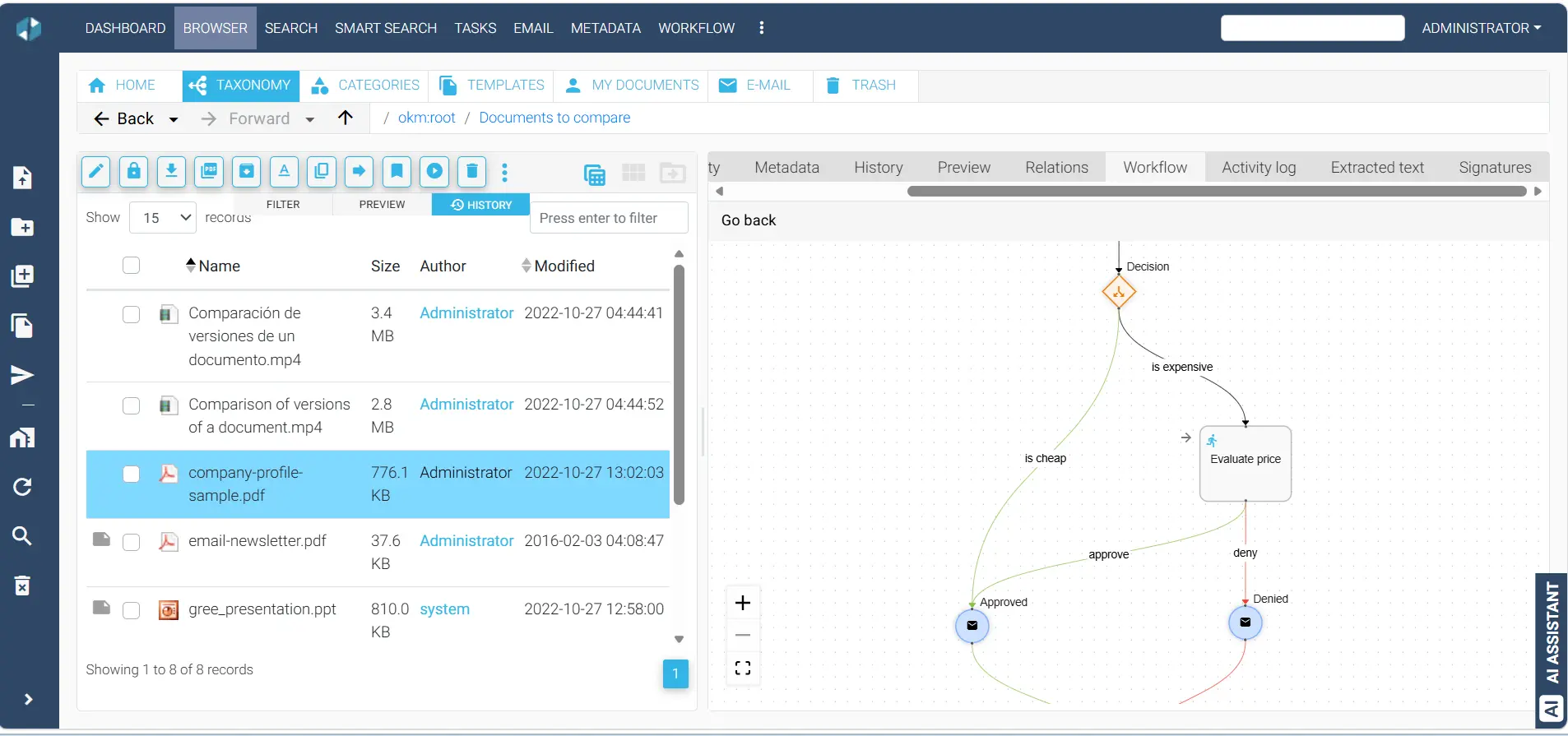
Step 5: Design exceptions before the happy path
Exceptions determine whether a workflow remains useful after launch. Define what happens when an approver is absent, a deadline passes, a document is replaced, extracted data is uncertain, an integration is unavailable, or a request is withdrawn.
Do not silently skip a required control. Use an authorized delegate, documented escalation, exception queue, or administrator intervention that preserves accountability. Decide who may restart, cancel, reassign, or correct a workflow and how those actions will be recorded.
Step 6: Connect documents, metadata, and audit information
The workflow should operate on the authoritative document and the information needed for the decision. Useful metadata may include document type, owner, department, amount, effective date, status, risk category, supplier, contract number, or review date.
Use controlled values where consistency matters. Avoid requiring participants to re-enter information that already exists in an approved source. At completion, define which status, dates, comments, decisions, and responsible users must remain available for search, reporting, audit, or retention.
Workflow history supports accountability, but it does not by itself establish legal compliance. Retention, access, evidence, and disposition must align with the organization’s policies and applicable obligations. See the overview of records and compliance controls.
Step 7: Plan reminders and escalation without creating noise
Notifications should help someone act. State what requires attention, identify the document or task, provide the due date, and link to the controlled work location. Avoid sending repeated messages to people who cannot resolve the issue.
Define a reasonable task deadline, reminder schedule, and escalation path based on business impact. Escalation may notify a process owner, reassign work under an approved rule, or flag the item for manual intervention. It should not automatically convert silence into approval unless that outcome is explicitly authorized and appropriate.
Step 8: Define integration boundaries
A document workflow may exchange information with ERP, CRM, accounting, HR, identity, e-signature, email, or another business application. Describe the exact event, data, direction, authentication, response, and error handling instead of writing only “integrate with the ERP.”
Decide which system owns each value, how duplicates are prevented, what happens when the receiving system is unavailable, and how failed transactions are reconciled. APIs, connectors, scheduled exchange, watched folders, or custom development may be appropriate depending on the systems and use case. Integration feasibility, security, scope, testing, and cost require technical validation. Review the OpenKM integration options for planning context.
Step 9: Test with realistic documents and users
Testing should confirm the business process, not only that a task moves from one screen to another. Use representative document types, metadata combinations, user roles, permission boundaries, decision paths, reminders, deadlines, delegations, and integration failures.
Minimum workflow test coverage
- Valid submission follows the expected path.
- Incomplete or invalid information receives the approved treatment.
- Each role can see and perform only its authorized actions.
- Approval, rejection, correction, cancellation, and resubmission behave as designed.
- Parallel or conditional branches reach the correct outcome.
- Overdue tasks, reminders, delegation, and escalation are tested.
- Comments, status, dates, and decisions remain traceable.
- Integration success, duplicate prevention, timeout, and failure handling are verified.
- Reports and searches reflect the workflow state accurately.
- Process owners complete documented user acceptance testing.
Record each issue with its severity, owner, expected result, actual result, resolution, and retest status. New requirements discovered during testing should follow change control instead of entering the project informally.
Step 10: Launch, govern, and measure the workflow
Before launch, confirm process ownership, administrator coverage, user instructions, support responsibilities, rollback or suspension decisions, and the treatment of documents already in progress. Train participants according to their role rather than giving everyone the same technical session.
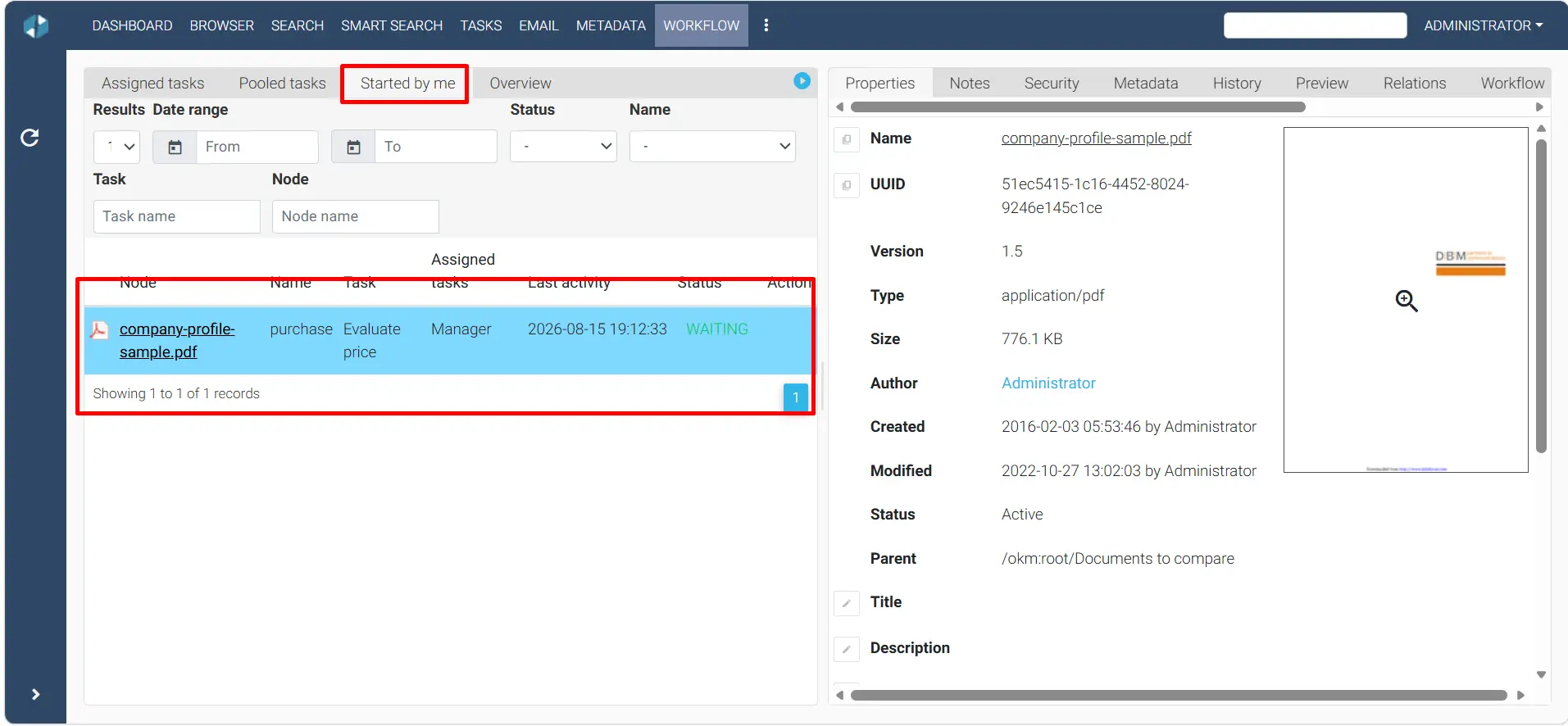
After launch, monitor turnaround time, queue age, overdue tasks, rejection and resubmission rates, exception volume, reassignment, manual intervention, and user-reported problems. Compare results with the original objective.
Changes to routing, permissions, deadlines, integrations, or approval authority should be requested, reviewed, tested, approved, and documented. A workflow is an operational control; it should not change casually because one user prefers a different path.
Document workflow examples
| Process | Possible stages | Important exceptions |
|---|---|---|
| Invoice approval | Capture, validate, code, approve, export | Duplicate, missing purchase order, amount threshold, disputed charge |
| Contract review | Intake, legal review, business approval, signature, filing | Nonstandard clause, missing attachment, expired offer, counterparty revision |
| Policy control | Draft, review, approve, publish, acknowledge, review again | Emergency change, superseded version, overdue acknowledgment |
| Employee document request | Request, identity check, authorization, fulfillment, closure | Restricted record, incomplete authorization, retention or legal hold |
These examples are starting points, not promised templates. The appropriate design depends on the customer’s documents, responsibilities, policies, systems, risk, and applicable OpenKM deployment and version.
Document workflow automation checklist
- Business objective and process owner are documented.
- Current process and exception paths are mapped.
- Trigger, required documents, metadata, and validation rules are defined.
- Submitter, reviewer, approver, administrator, and exception roles are assigned.
- Decision authority and conditional routing rules are approved.
- Rejection, correction, cancellation, delegation, timeout, and escalation are designed.
- Permissions follow least privilege and are tested with real roles.
- Notifications identify an actionable task without unnecessary volume.
- System-of-record ownership and integration error handling are documented.
- Representative documents and difficult cases are included in testing.
- User acceptance criteria and launch responsibilities are approved.
- Measures, support ownership, and change control are established.
Common workflow automation mistakes
- Automating a process before agreeing on its purpose and owner.
- Designing only the normal path and improvising exceptions after launch.
- Hard-coding individual employees instead of maintainable roles.
- Adding approvals for awareness rather than genuine authorization.
- Using unclear metadata or untested extracted values for routing.
- Sending excessive notifications without an actionable next step.
- Testing as an administrator but not as each business role.
- Assuming an integration is simple without defining data ownership and failure handling.
- Launching without measurements, support responsibility, or controlled change management.
Where OpenKM and professional services fit
OpenKM can support document routing, tasks, reviews, decisions, notifications, metadata, permissions, version history, and auditability within an appropriately selected and configured environment. Available capabilities and limits depend on the product, plan, version, deployment, and validated requirements.
Process discovery, workflow design, advanced configuration, integrations, migration, customization, development, testing, training, documentation, and project management are professional services unless expressly included in writing. A responsible proposal should separate subscription or license charges, support, and professional services.
Frequently asked questions
What is document workflow automation?
Document workflow automation uses defined rules to route documents, tasks, information, and decisions through a repeatable business process. It can assign work, request reviews or approvals, record outcomes, send reminders, and preserve a traceable history.
Which document process should be automated first?
Start with a process that is repeated often, has a clear owner, uses reasonably consistent inputs, and has visible delays or errors. Avoid beginning with the organization’s most exceptional or politically complex process.
How many approval steps should a workflow include?
There is no universal number. Each step should serve a documented control or business decision. Unnecessary approvals create delay, while missing controls create risk. Use role, amount, document type, or other validated rules when different paths are required.
Can OCR start a document workflow?
OCR and extraction can help identify a document and capture selected values that may support routing. The documents, fields, quality, languages, validation rules, and exception handling should be tested before relying on extracted information.
Does workflow automation eliminate human review?
Not necessarily. Automation is often most useful when it coordinates people, applies consistent routing, and makes exceptions visible. Human review remains appropriate where judgment, authorization, or accuracy matters.
Is workflow design included with an OpenKM subscription?
Not automatically. Subscription capabilities and limits depend on the selected plan. Process discovery, workflow design, advanced configuration, integrations, testing, training, customization, development, and project management are professional services unless expressly included in writing.
Start with one controlled decision
A useful workflow does not need to automate every document or every exception at once. Select a process with a clear owner, map the decisions, test it with real participants, and expand only after the first result is stable and measurable.
Define the process before configuring it
Turn a document approval problem into a controlled workflow.
OpenKM USA can help evaluate your documents, roles, decisions, exceptions, integrations, security, and implementation requirements. Workflow analysis, design, configuration, testing, training, development, and project management are separately scoped professional services.